|
Support |
Contact us | Downloads |
 |
|
|
Support |
Contact us | Downloads |
|
While assigning members to groups it is often necessary to know nested assignments. With our software's you can view the updated nested members of groups while assigning members to groups.
SQLLDAP is easy sql like syntax to query and update LDAP. With our software's you are now able to build and edit query visually with a drag and drop function using keywords and attributes.
Viewing all available attributes is the key for ldap management! We made it super easy for you to view all attributes including operational regardless of their assigned value.
 |
 |
 |
 |
 |
 |
 |
 |
 |
The Flexibility and Power to Change
| LDAP Administration |  |
| Export (Excel,Csv,LDIF,SQL) | |
| Search (Simple, Advanced & SQL-LDAP) | |
| Create/Modify Attributes & Entries | |
| Add/Update Group Membership | |
| SQLLDAP Export in excel and csv formats | |
| LDAP Administration | |
| AD Administration | |
| Export (Excel,Csv,LDIF,SQL) | |
| Predefined Searches (AD + LDAP) | |
| Search (Simple, Advanced & SQL-LDAP) | |
| Create/Modify Attributes & Entries | |
| Add/Update Group Membership | |
| SQLLDAP Export in excel and csv formats | |
| Scheduling | |
| AD Administration | |
| Export (Excel,Csv,LDIF,SQL) | |
| Predefined Searches (AD) | |
| Search (Simple, Advanced & SQL-LDAP) | |
| Create/Modify Attributes & Entries | |
| Add/Update Group Membership | |
| SQLLDAP Export in excel and csv formats | |
| Scheduling | |
| Active Directory Reports | |
| AD Audit Exports | |
| AD Administration | |
| LDAP Administration | |
| Export (Excel,Csv,LDIF,SQL) | |
| Predefined Searches (AD + LDAP) | |
| Search (Simple, Advanced & SQL-LDAP) | |
| Create/Modify Attributes & Entries | |
| Add/Update Group Membership | |
| SQLLDAP Export in excel and csv formats | |
| Scheduling | |
| Active Directory Reports | |
| LDAP Reports | |
| AD Audit Exports | |
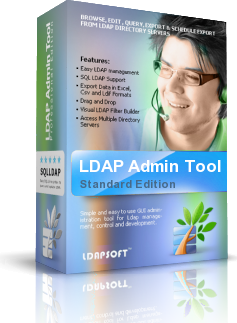
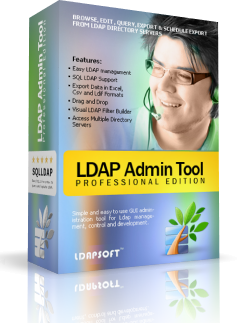
Powerful and easy to use Windows & Linux GUI administration tools for Ldap management, control and development.
Browse, Edit, Query, Export and Schedule Exports from LDAP Directory servers safely, securely and reliably.
SQLLDAP Support, you can now export and import records as update, delete and insert statements.
With our LDAP tools you can easily access and manage OpenLDAP, IBM Tivoli Directory, Microsoft Active Directory, SUN One Directory, ADAM, Netscape/iPlanet, Novell eDirectory, Siemens Directory, Lotus Domino, Oracle Internet Directory or any other LDAP v2 or LDAPv3 directory.
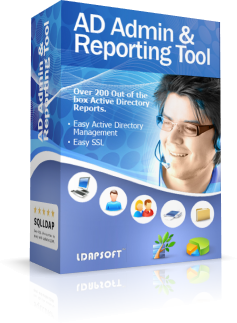
Simple yet powerful Active Directory administration and Reporting solutions.
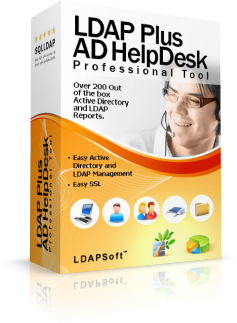
Our Active Directory reporting tools are cost-effective, simple, easy to use and comes with over 200 out of the box reports and over 200 predefined one click searches.
Reports can be easily customized and scheduled to suit the needs of System Administrators, IT Managers and System Auditors. Our tools provide reports that assist in both compliance (SOX, HIPPA) and management reporting.
"I just wanted to let you know how satisfied I am with your Ldap Admin Tool. I thank you for creating a product which works on both windows and Linux and also for integrating the sqlldap, it made working with ldap like working with database. " - Simon P. IL
 January 02 , 2024
 LDAPSoft has resellers around the world. If you are interested in purchasing our software's through a reseller please see if a reseller is listed for your country. If you are unable to find a reseller listed for your country please ask your preferred reseller to contact us at: sales@ldapsoft.com for purchasing information

"IMHO, Ldap Admin Tool Professional Edition is the most comprehensive Ldap and Active Directory tool ever - SQLLDAP rocks!.
"
S.A (Manager - Tomy International.)

"We found AD Admin & Reporting Tool by LDAPSoft to be the best software available in the market for active directory administration and reporting."
Ahmed Shahab (Sr. Manager, Sears Holdings Corporation)

Let me just say that the LDAP Admin Tool has been a god-send. It has improved the work flow for our support staff in ways that you cannot imagine. Our processes and procedures for LDAP adds, deletes and modifications is so improved since we found and started using this tool.
Bill Willett (Software Developer)
.