Below are the highlights of the major enhancements in LDAP Admin Tool Standard Edition Since ver 5.8. To view the complete change history click Change History |
Highlights of V7.8 (Release Date: Jan 02, 2024) |
Security Upgrades
Java Upgrade
Java 21 for Windows and Mac
Platform Upgrades
Highlights of V7.6 (Release Date: Jan 02, 2023) |
- TLS 1.3 and Old TLS support
- Removed all log4j dependencies
- Platform Upgrades
- Mac (Apple Chip) Support
Highlights of V7.4 (Release Date: April 26, 2021) |
JVM Upgrade for performance optimization
TLS 1.3 support added
Java 15 support for Mac
MAC OS Big Sur 11.3 supported
Highlights of V7.2 (Release Date: March 16, 2020) |
JVM Upgrade for performance optimization
Password dialog changes to support additional crypt methods
Support for the new Windows/Linux/MacOsx platforms
Highlights of V7.0 (Release Date: August 13, 2019) |
Performance Optimization
Support for the new Windows/Linux/MacOsx platforms
Highlights of V6.14 (Release Date: October 15, 2016) |
The Move operation now updates the group membership (LDAP Directories Only)
Move operation change the rdn of the entry and update the group membership of the entry.
This feature is only specific to LDAP Directories as Active directory already supports this feature.
In case of non-leaf entry move operation, the new entry is created and then the child items are move under the new entry.
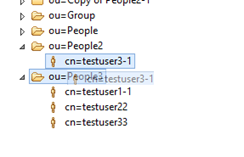
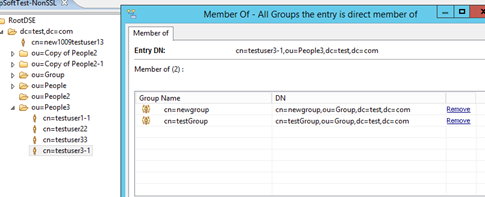
Example of how the group assignments are moved to the new created entry. The entry cn=testuser3-1 is moved from the container ou=People2 to ou=People3.
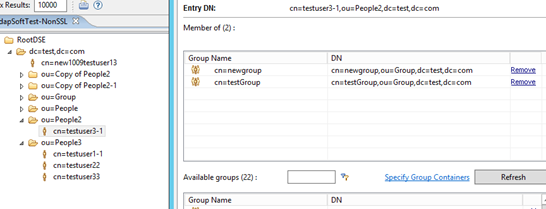
Here you can see that the group membership is also updated.
The rename operation now also updates the group membership
The copy operation now also update the group membership
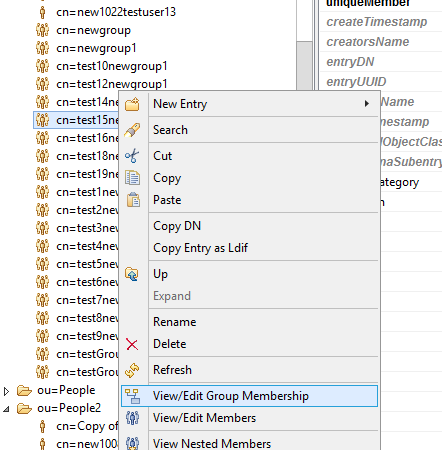
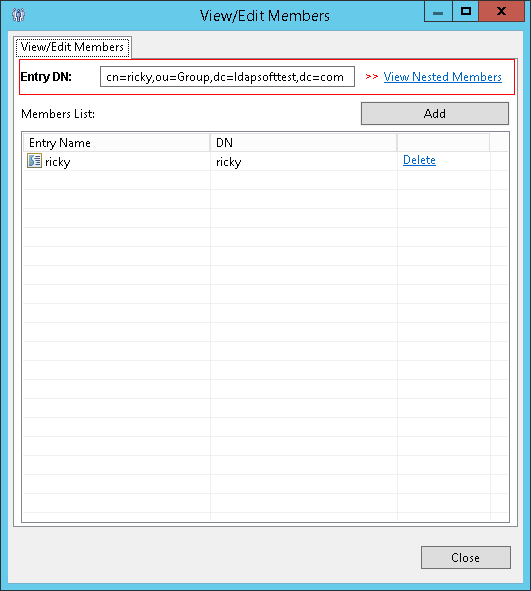
To speed up the group search, it is recommended to define the group containers. To update the group containers, click on any group and from right click context menu select “View/Edit Group Membership”
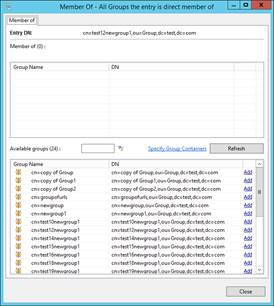
Click on Specify Group Containers
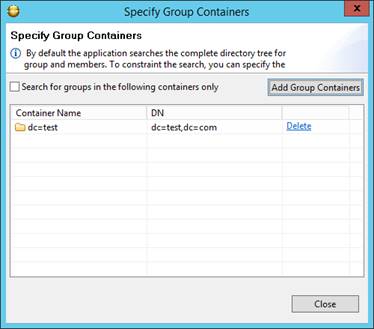
And select the containers containing the groups by clicking the Add Group Containers.
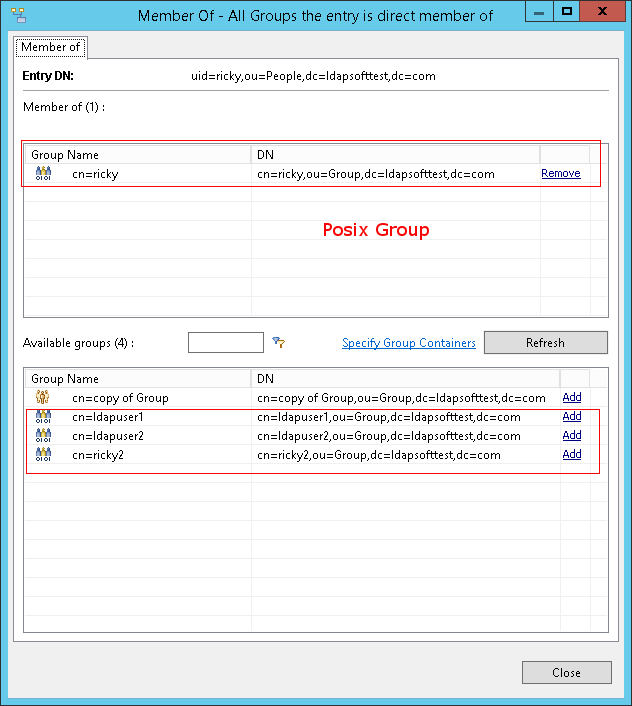
Unix Posix Groups
This feature provide the ability to view and assign members to the Posix groups from the View/Edit Membership Dialog as well as from View/Edit Members. Predefined searches and reports also now include the posix groups when running the query/reports.
Highlights of V6.8 (Release Date: January 25, 2014) |
Password Editor Support for Additional Hash Methods
Password editor now support SHA-256,SHA-384,SHA-512, SSHA-256, SSHA-384, SSHA-512 hash methods.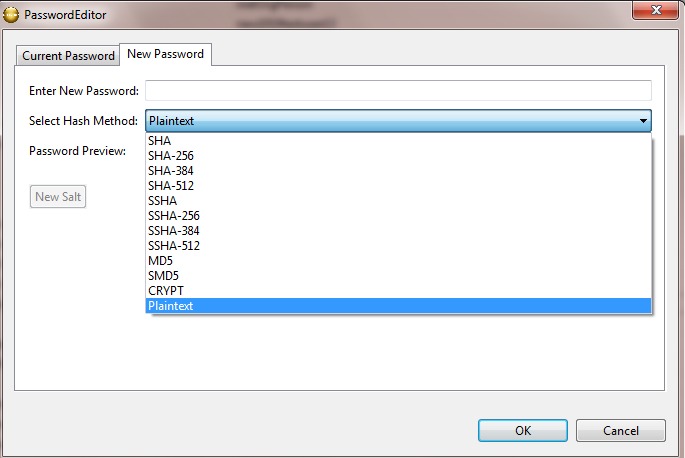
Image Editor Enhancements
Image editor is now enhanced for additional supported format

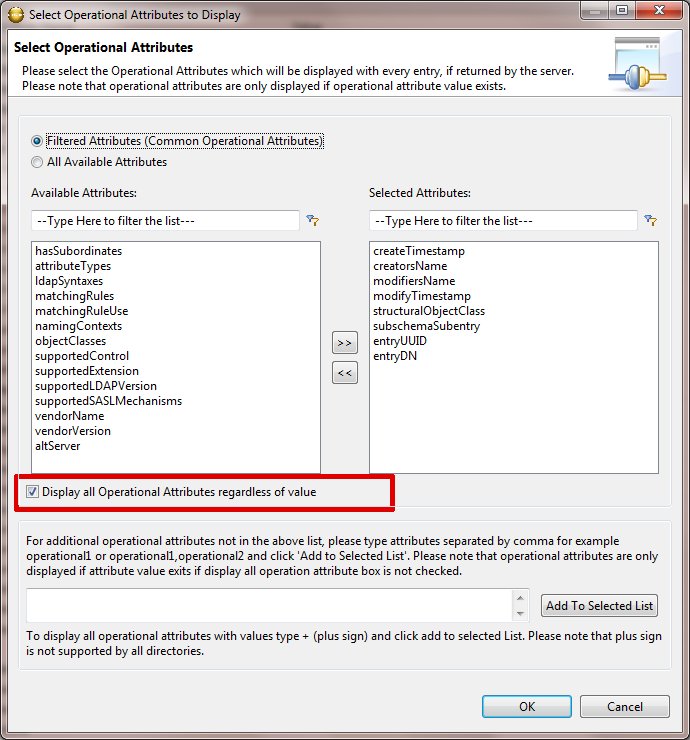
Operational Attributes Enhancements
A new option to show operational attributes even if the value does not exists. Before only the operational attributes with values were displayed.
Highlights of V6.2 (Release Date: January 15, 2012) |
Select Operational Attributes to Display
Customization of displayed operational attributes is now available. To customize click 'Select Operational Attributes to Display" from right click context menu of attribute table and move the attributes, which you want to display, to the selected Attributes list. Clicking 'OK' will save the selection to connection profile. Please note that you can specify different attributes for different connection/directories.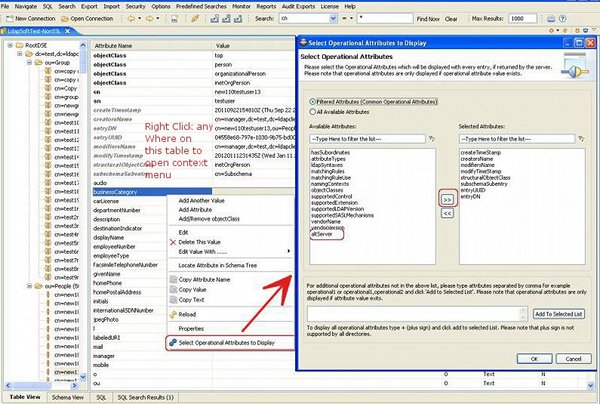
Highlights of V6.0 (Release Date: January 2, 2012) |
View nested assignments of Groups
While assigning members to groups it is often necessary to know nested assignments.Now you can view the updated nested members of groups while assigning members to groups. To assign a member to group select 'View/Edit Members' from right click context menu. Open the nested members dialog by clicking on 'View Nested Members' link.
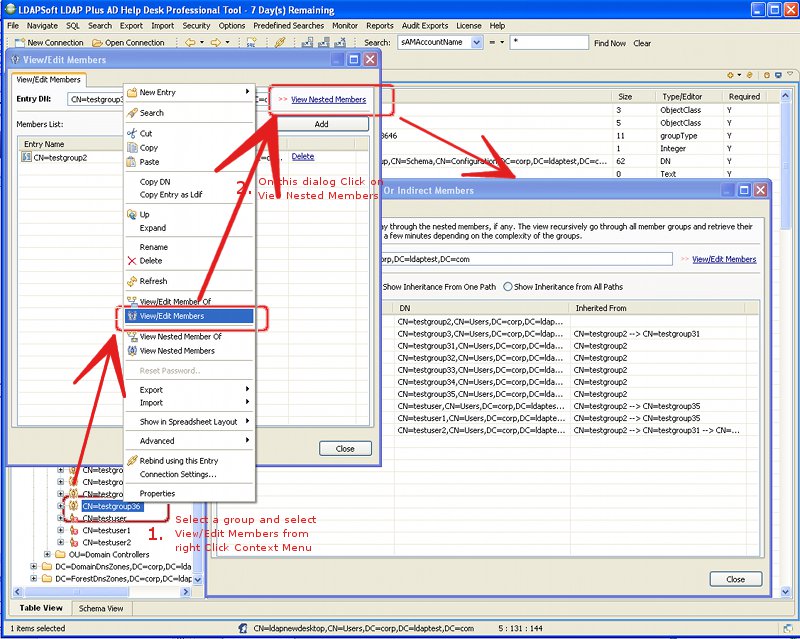
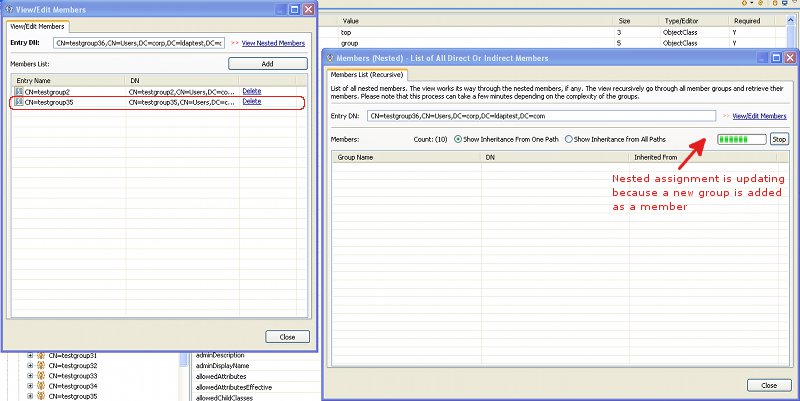
Now when you add or remove members from View/Edit Members dialog nested assignment dialog will reflect the change synchronously. The view is provided so that you can be sure of the nested relationship when assigning a member to group.
View nested Groups of Active Directory Users
Now you can view nested groups of user while assigning groups to user. To assign a group to a user select 'View/Edit Member Of' from right click context menu. Open the nested member of dialog by clicking on 'View Nested Member Of' link.
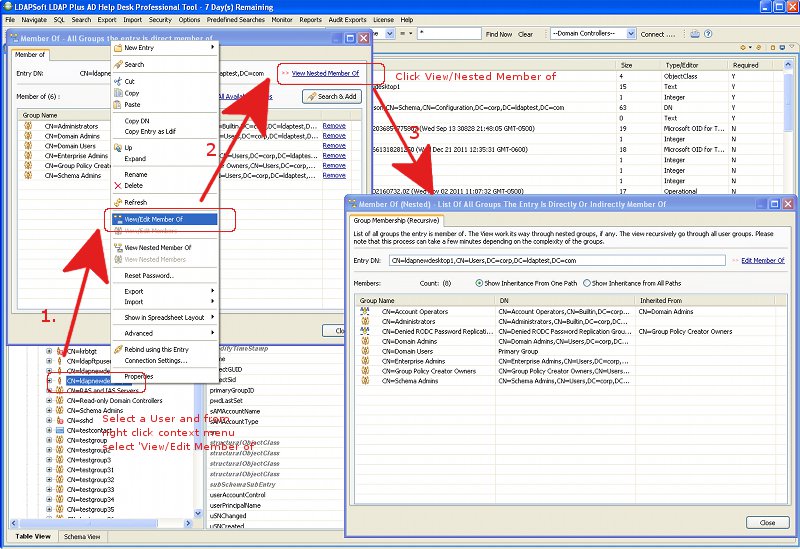
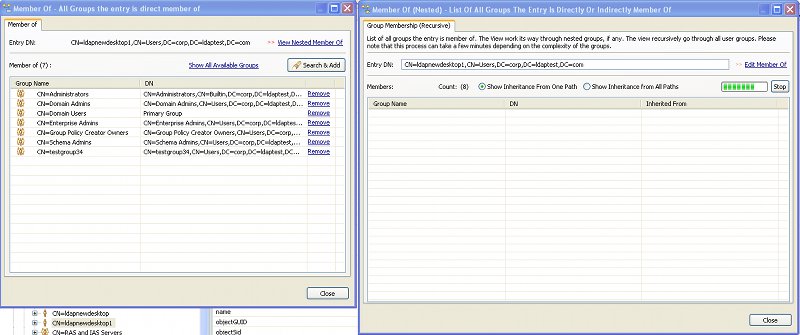
Now when you add or remove a group from Member of dialog nested assignment dialog will reflect the change synchronously. The view is provided so that you can be sure of the nested relationship when assigning a group to user.
Export in PDF Format
Now you can export search results in pdf format. To open the pdf export dialog select an entry and select pdf from right click context menu. Please note that PDF is a fixed page format (not a spreadsheet), so select as few attribute to return as possible using the Returning Attributes field.

Highlights of V5.8 (September 12, 2011) |
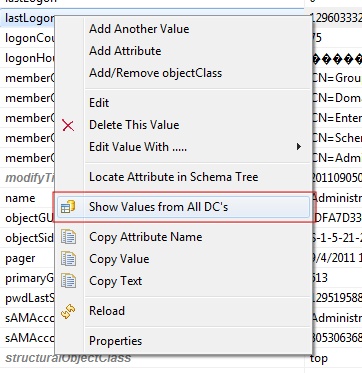
Compare attribute values from all AD Domain Controller's
A great feature released in version 5.8 is comparison of values from different domain controllers, requested by many of our customers. This new feature let you compare values from different domain controllers. To view attribute value from all DC's, select an attribute in the attribute pane and from right click context menu select "Show Values from All DC's".